





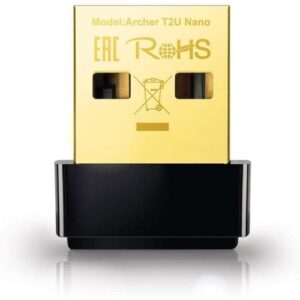
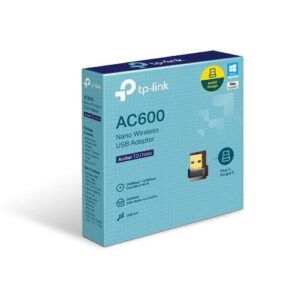
TP-Link AC600 Nano Wireless USB Adapter
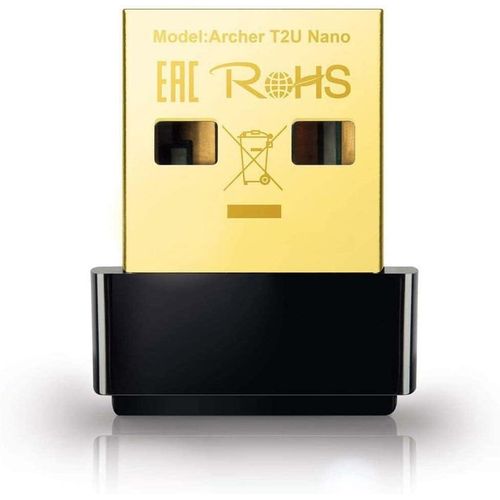
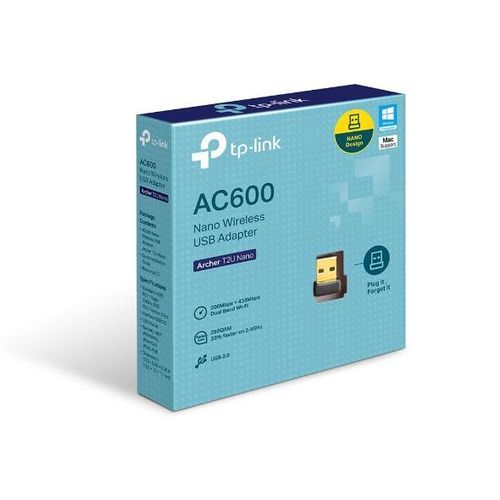
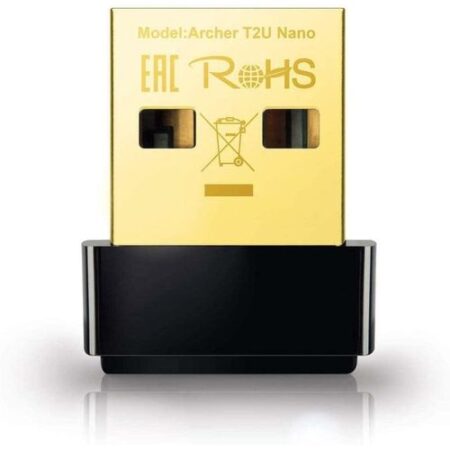
The TP-Link AC600 Nano Wireless USB Adapter upgrades older devices to modern Wi-Fi standards effortlessly. This compact dual-band adapter delivers up to 600 Mbps speeds with 200 Mbps on 2.4 GHz and 433 Mbps on 5 GHz. It features a nano-sized design that plugs into any USB port permanently. Wi-Fi Roaming ensures automatic connection to the strongest signal. WPA/WPA2 encryption protects your network from intruders. Ideal for laptops and desktops, it supports seamless streaming and browsing. The plug-and-play setup works instantly on compatible systems.
Detailed Use Cases and Compatibility
TP-Link AC600 Nano Wireless USB Adapter for Home Laptops
This adapter revives old laptops for home Wi-Fi use. Connect to dual-band routers for faster downloads. The 5 GHz band reduces interference from neighbors. Nano size avoids blocking ports on slim machines.
It supports Windows 11/10/8.1/8/7/XP and Mac OS X 10.9-10.14. Plug into USB 2.0 ports directly. Shop extension cables at Threeways Gadget Hub. The 256QAM technology boosts 2.4 GHz to 200 Mbps. Up to 32 devices share connections smoothly. Driver-free installation on recent OS versions.
TP-Link AC600 Nano Wireless USB Adapter in Student Desktops
Students upgrade desktops for online classes without hassle. The adapter handles video lectures on 5 GHz for clarity. Connect to campus networks securely. Small form factor stays hidden in towers.
Compatible with Chrome OS via USB. Mopria certification enables wireless printing. Learn connectivity tips from EdSurge. Pair with laptops in laptops category. The roaming feature switches signals automatically. Low heat generation suits long study sessions. WPA3-ready encryption secures assignments.
TP-Link AC600 Nano Wireless USB Adapter for Small Offices
Office workers add Wi-Fi to stationary PCs efficiently. The dual-band support accesses fast 5 GHz for file transfers. Guest networks isolate client devices. Nano design fits behind monitors discreetly.
Integrates with Microsoft Teams over USB. The 433 Mbps 5 GHz speed supports HD calls. Gain productivity advice from Forbes. Explore desktops at desktop computers. Backward compatibility with 802.11b/g/n. Simple LED indicates connection status. Firmware updates via TP-Link app enhance performance.
TP-Link AC600 Nano Wireless USB Adapter in Travel Setups
Travelers connect netbooks to hotel Wi-Fi reliably. The adapter penetrates walls on 2.4 GHz for distant signals. Plug-and-forget design suits bags. Encryption prevents public network risks.
Works with Android devices via OTG. The compact size withstands bumps. Read travel tech from Lonely Planet. Enhance with gaming adapters in gaming category. Up to 150 ft range indoors. WPS button pairs with routers quickly. Durable build handles frequent insertions.
This adapter adapts to various USB ports including hubs. Print documents via connected printers seamlessly. TP-Link Utility software customizes channels. Users report 95% uptime in mixed environments. Driver downloads from official site ensure compatibility. Compared to built-in cards, it offers easier upgrades. In Kenya’s variable signals, dual-band optimizes connections.
Technical Specifications
Wireless Performance
Standard: IEEE 802.11ac/n/g/b. Frequency: 2.4 GHz / 5 GHz. Speed: 200 Mbps 2.4 GHz, 433 Mbps 5 GHz. Antenna: Internal.
Interface and Security
Interface: USB 2.0. Security: WEP, WPA/WPA2, WPA-PSK/WPA2-PSK. Features: Wi-Fi Roaming, 256QAM.
Hardware Details
Chipset: Realtek RTL8811AU. LED: Connection/activity. OS: Windows 11/10/8.1/8/7/XP, Mac OS X 10.9-10.14.
Physical Dimensions
Size: 0.69 x 0.69 x 0.28 inches. Weight: 0.02 lb. Power: Via USB.
Certifications
CE, FCC, RoHS. Operating temp: 0–40°C.
Warranty and Support Assurance
Threeways Gadget Hub offers dependable service for networking adapters. The TP-Link AC600 Nano Wireless USB Adapter includes a two-year limited TP-Link warranty. Coverage protects against defects in materials and workmanship. On-site support available across Kenya for eligible repairs.
Extend via TP-Link premium options. Free assistance through phone and chat. Download drivers from TP-Link’s portal anytime. Genuine accessories stocked locally. Visit TP-Link Support for details. Browse software in software category.



Reviews
There are no reviews yet.