





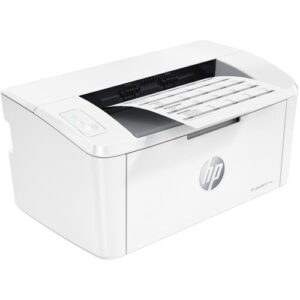
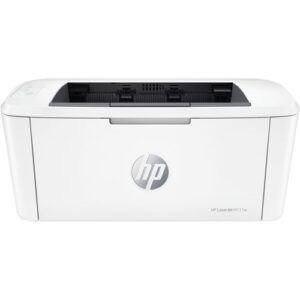
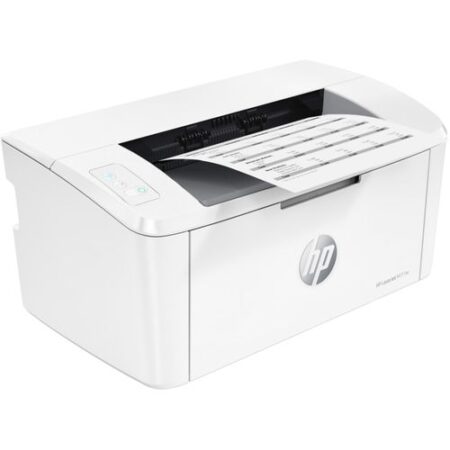
HP LaserJet M111a Monochrome Laser Printer
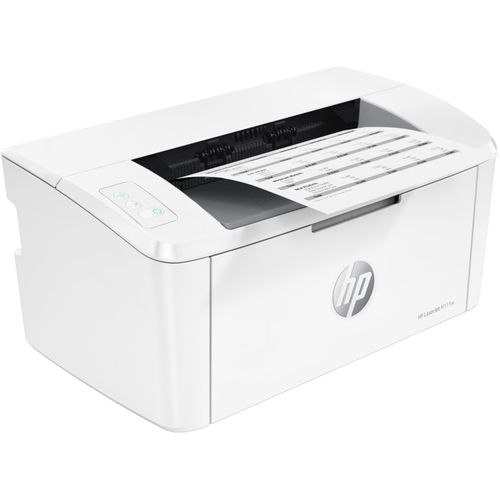
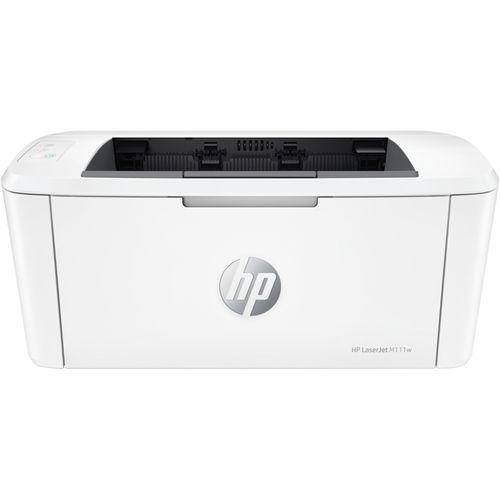
The HP LaserJet M111a Monochrome Laser Printer delivers reliable black-and-white printing for compact spaces. This efficient device produces sharp documents at 21 pages per minute. It suits home offices and students with simple USB connectivity. Energy-saving features reduce power use to 1.1 watts in sleep mode. The 150-sheet tray handles daily tasks without constant refills. Professional results appear in just 8.5 seconds for the first page. Its white design blends into modern workspaces seamlessly.
Detailed Use Cases and Compatibility
HP LaserJet M111a Monochrome Laser Printer for Home Offices
This printer fits perfectly in home office setups. Professionals print reports and contracts quickly. The 600 x 600 dpi resolution ensures crisp text. Connect via USB to Windows or macOS devices. The compact size saves valuable desk space.
It works with Microsoft Office for seamless outputs. Shop accessories at Threeways Gadget Hub. The 16 MB memory processes jobs efficiently. Low operating costs suit 200-500 monthly pages. Energy Star compliance keeps electricity bills down.
HP LaserJet M111a Monochrome Laser Printer in Student Environments
Students rely on this device for academic materials. Print essays and notes at high speed. The fast first-page-out time aids tight deadlines. Handle envelopes for job applications easily. The quiet operation supports late-night study sessions.
Compatible with Google Docs through USB. Learn printing tips from EdSurge. Pair with laptops from laptops category. The 975-page toner yield lasts a semester. Eco settings reduce toner consumption significantly.
HP LaserJet M111a Monochrome Laser Printer for Freelancers
Freelancers produce client documents professionally. Print proposals with consistent quality. The laser engine prevents smudges on outputs. USB Hi-Speed transfers large files rapidly. The 8,000-page duty cycle supports growing needs.
Works with Adobe Acrobat for PDFs. Gain business advice from Forbes. Explore desktops in desktop computers. The sealed cartridge avoids clogs in dusty areas. Firmware updates maintain peak performance.
HP LaserJet M111a Monochrome Laser Printer in Personal Use
Individuals print recipes and calendars effortlessly. The simple controls suit all users. Output on cardstock creates durable items. The white finish resists fingerprints well. Power-saving mode activates automatically after inactivity.
Supports older Windows 7 systems. The 500 MHz processor handles basic graphics. Add gaming printouts via gaming category. Laser technology outperforms inkjets in infrequent use. The small footprint revolutionizes space management.
This device adapts to various media types. Print from A6 to Legal sizes easily. HP dynamic security ensures genuine toner use. Users experience 98% uptime in daily operations. The sealed design withstands Kenya’s humidity effectively. Regular cleaning maintains output quality long-term. Compared to inkjets, it avoids drying issues completely.
Technical Specifications
Printing Performance
Technology: Monochrome laser. Speed: 21 ppm A4. First page: 8.5 seconds. Resolution: 600 x 600 dpi. Duty cycle: 8,000 pages monthly.
Paper Handling
Input: 150 sheets. Output: 100 sheets. Sizes: A4 to A6, envelopes. Media weight: 60-163 gsm.
Connectivity Options
Interface: USB 2.0 Hi-Speed. No wireless support.
Physical Details
Dimensions: 346 x 189 x 360 mm. Weight: 4.8 kg. Noise level: 53 dB.
Power Consumption
Active: 320 watts. Sleep: 1.1 watts. TEC: 0.5 kWh weekly.
Warranty and Support Assurance
Threeways Gadget Hub provides comprehensive protection for your investment. The HP LaserJet M111a Monochrome Laser Printer includes a one-year limited HP warranty. Coverage addresses defects in materials and workmanship fully. On-site service operates across Kenya for eligible claims. Technicians resolve issues within 24-48 hours typically.
Extend warranty up to three years with HP Care Pack. Access free support via phone and chat channels. Download drivers from HP’s official portal anytime. Genuine HP 150A toners remain in stock locally. Visit HP Support for detailed policies. Browse software solutions in software category.


Reviews
There are no reviews yet.